Available on Microsoft Store

Draw on your screen.
Like it's paper.

Painto makes your entire Windows desktop a canvas. Open source, lightweight, and natively built with WinUI 3. Highlight your ideas without interrupting your flow.

Interactive Demo: Painto draws over your entire webpage! Use the floating toolbar at the bottom to switch tools.
Painto Icon Painto - Screen Annotation Canvas (WinUI 3)
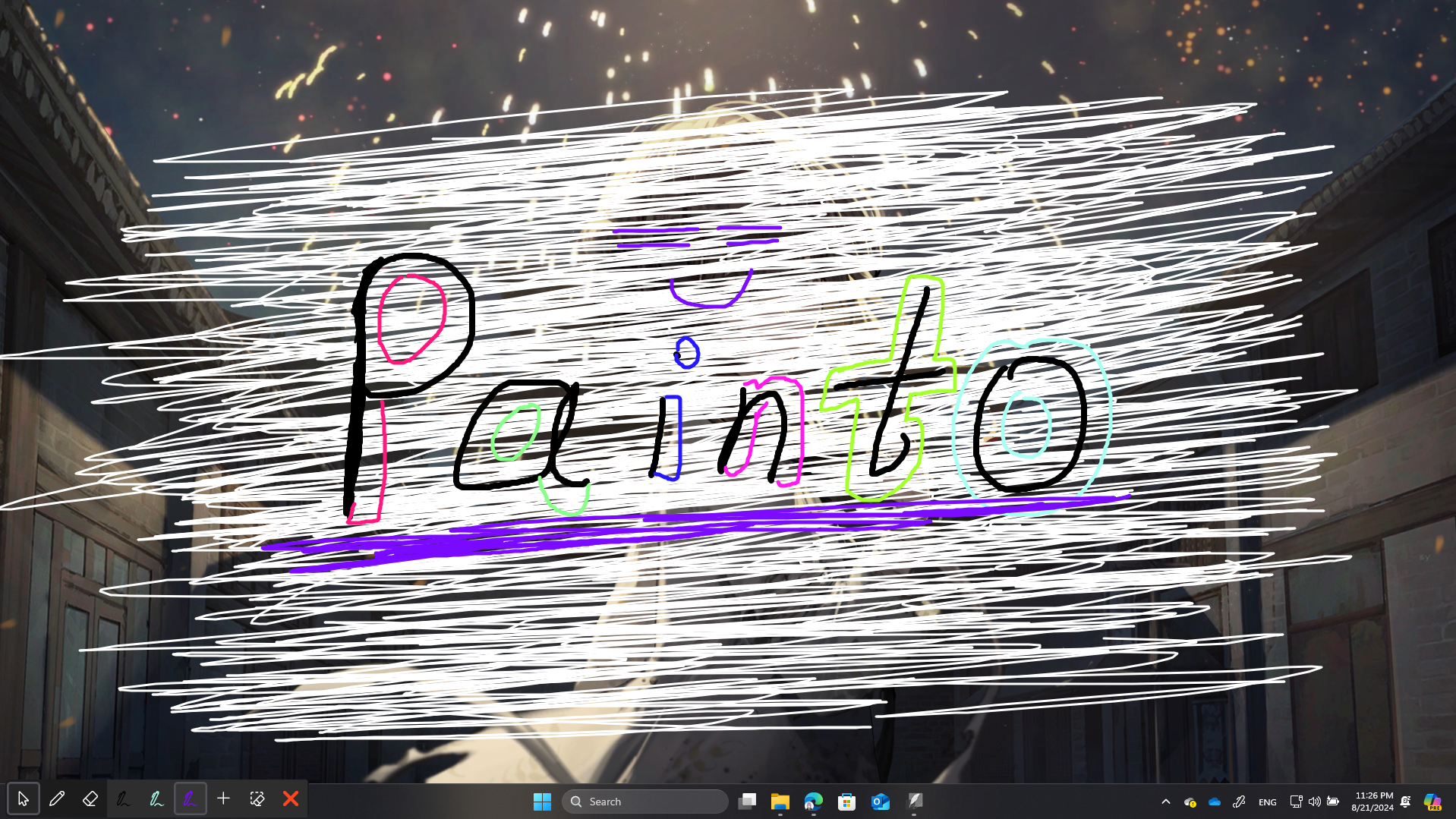
Painto App Screenshot
Pen Mode: Red (Draw Anywhere)

Quick Start Guide

Get up and running with Painto screen annotations in seconds.

01

Download App

Download directly from our official site or Microsoft Store with 1-click install.

02

Start Drawing

Default mode is Pen Mode. Drag anywhere to highlight, sketch, or annotate.

03

Switch PC Mode

Click the cursor button or hotkey to instantly interact with your desktop apps.

04

Customize Pens

Double-click any pen in the toolbar to change colors or press + to add presets.

Focused on the essentials

Everything you need to annotate, nothing to slow you down.

Real-Time Ink

Draw over videos, games, or presentations smoothly. Feels just like using a real pen on your screen.

Seamless Switch

Instantly toggle between drawing mode and computer mode with a simple hotkey. Never break your workflow.

Native Performance

Built natively with WinUI 3 for high efficiency, smooth rendering, and minimal resource usage.